
|
Edit Template Information |
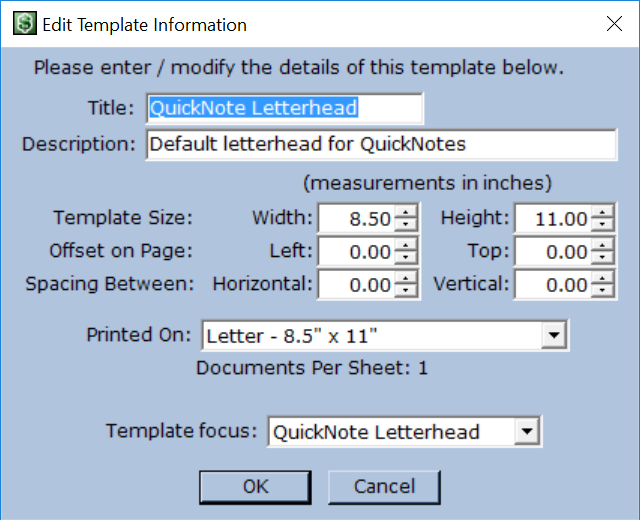 Access the Edit Template Information dialog from in the Main Menu. This offers control over the name, description, size, and type of template.
Title and Description are available through the Manage Templates dialog. They make it easy to identify a template. The name is also displayed on the Print Template dialog when selecting a template to print. The size of the template itself may be adjusted. If Printed On is set to Custom, one template is printed per page. The paper type is set to the same size as the template. If set to Letter or Legal size, Moneylender automatically prints however many fit on the page. This number is displayed as Documents Per Sheet under the Printed On drop-down. The Template Focus drop-down determines whether the template behaves like a statement or a voucher. "Individual Payments" indicates voucher type, and "Individual Loans" indicates statement type. Details about the difference are available under the heading "Selecting the Right Template Focus" under the Templates help topic. |